
Use History to access the tool usage history. The Search function can also be used to find test records for specific vehicles.
Press

to return to the previous screen, select options, and when necessary, press

to enter or continue to the next step.
1. At the Main Menu, select History. The Tool History screen is displayed.
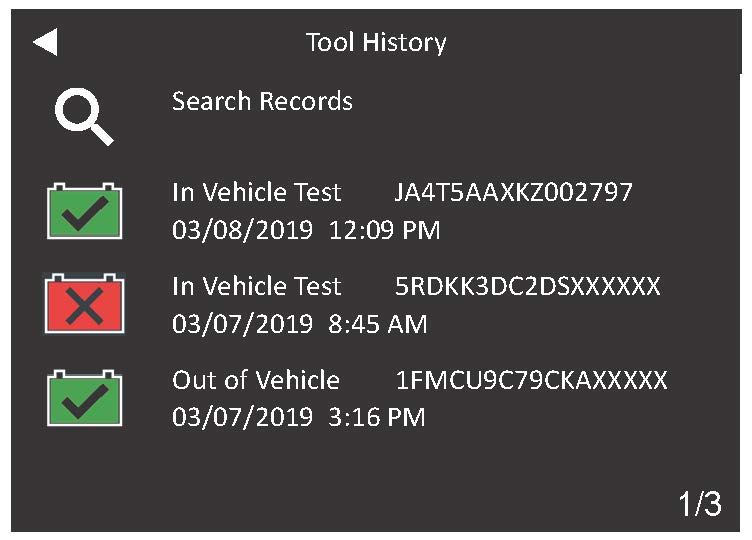
2. Scroll to select a vehicle record to view the test result or select Search Records to find records by manually entering a VIN, scanning a VIN, or be test result decision.
3. For In-Vehicle test results, the Summary screen is displayed.
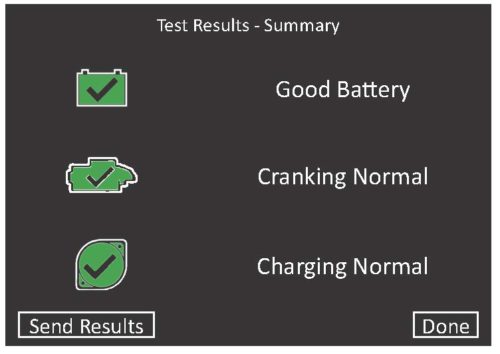
4. Select the Battery, Cranking, or Alternator Test to view detailed test results for each part of the test.
5. To send the test results to a configured printer or via email, select Send Results. To return to the Home Screen, select Done to return to the Main Menu.