
The integrated printer is shipped with a roll of 2-1/4″ wide by 1-7/8″ diameter thermal printing paper installed. Replacement rolls are available through Midtronics (Part# A401 for a 10-pack) or online office supply websites.
| Online Store | Item # |
|---|---|
| www.possupply.com | T214-020 |
| www.paperrolls-n-more.com | AT21416 |
| www.thermalroll.com | PRT57016NOCORE-100 |
NOTE: The analyzer uses ONLY thermal printing paper. Due to production variances, some paper roll diameters may be too large. DO NOT force cover to close if roll is too large — remove paper from roll to bring to recommended 1-7/8″ maximum diameter.
Replacing the Paper Roll
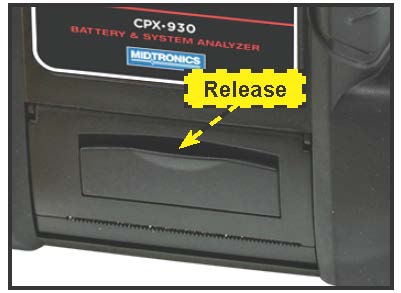
1. Unlock the printer door by gently lifting up on the release.
2. Lift the printer door and remove the spent roll.
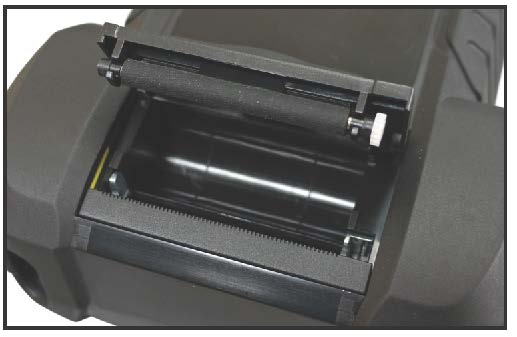
3. Place a new roll of paper in the compartment. The paper feeds from the bottom of the roll.
4. Pull the paper forward so that it extends past the serrated edge of the paper slot.
5. Close the door and make sure the lever locks securely. For a clean tear, pull the paper along the serrated edge. Do not pull the paper straight out of the printer.